
A Meetup Check-in Timed Research is an exclusive Timed Research is available at events hosted by a Community Ambassador (distinguishable by a purple star badge). Events that offer these rewards will also have a "Rewards" icon on their invite.
RSVP and check-in to official event Meetups or Meetups hosted by Community Ambassadors and other select partners to earn a special Meetup Check-in Timed Research in Pokémon GO!
How to Find and Join a Meetup
There are two ways to view nearby meetups:
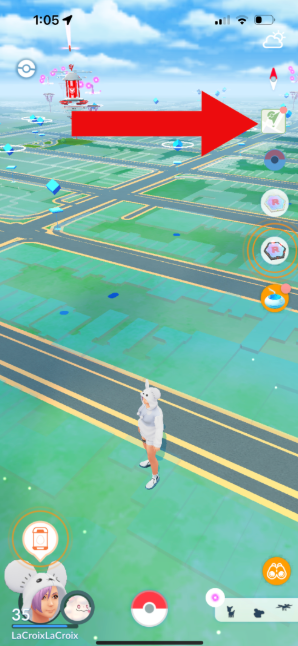
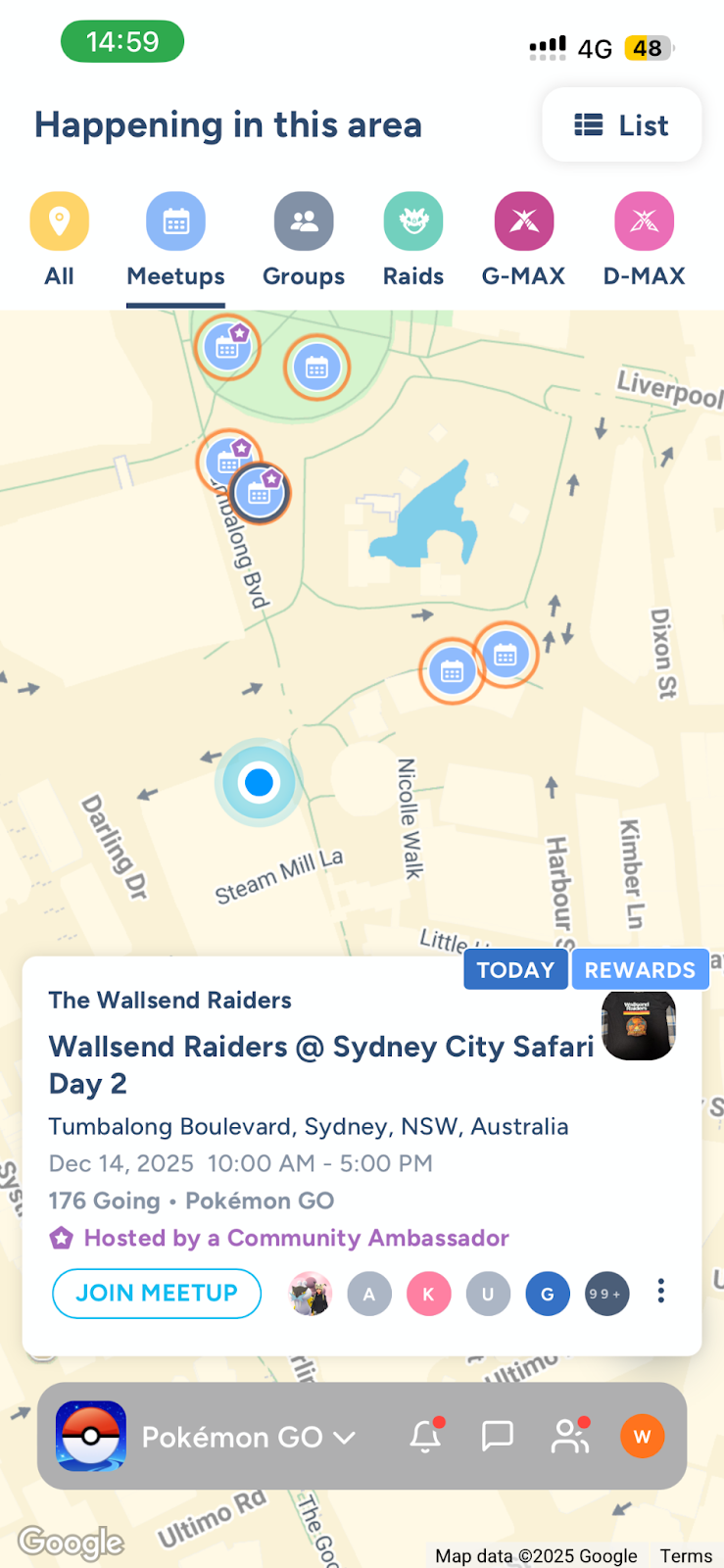
Via the Pokémon GO Map: Tap the green map icon near the right corner of your in-game map to access Campfire features directly. From here, you can zoom into your area to see active meetup markers.
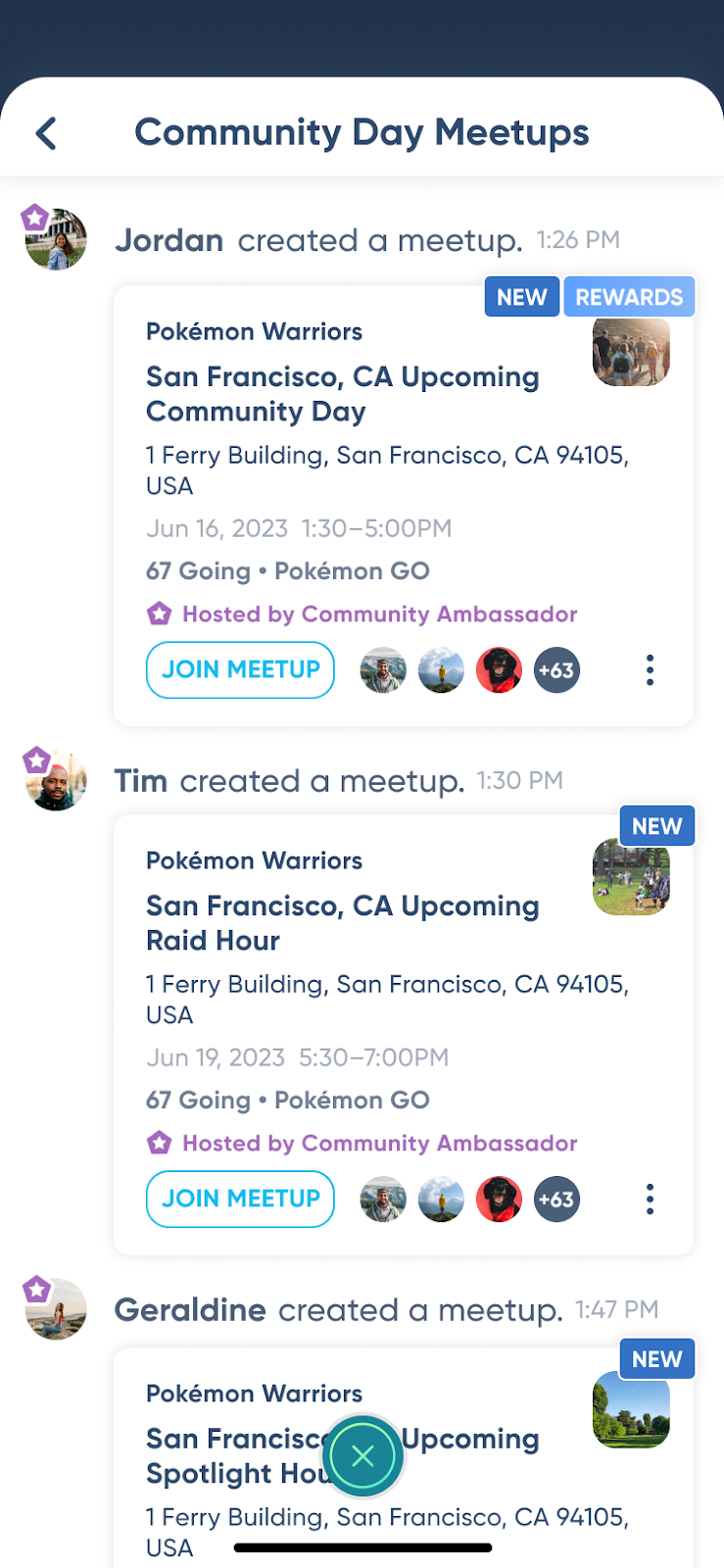
Via the Campfire App: Open the standalone Campfire app to browse a list of local events or search for groups run by Community Ambassadors.
To Participate:
RSVP: Tap on the meetup and select "Join Meetup" or "RSVP" to indicate you are going.
Head to the Location: Arrive at the meetup site. You can check in starting 15 minutes before the event begins.
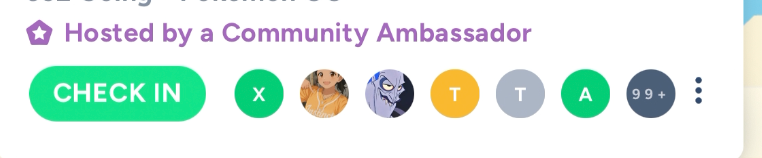
Check In: On the Campfire map or app, the blue "Join Meetup" icon will change to a green "Check In" button once you are at the site.
After you check in and log in to the Pokémon GO app, you will receive an in-app notification at
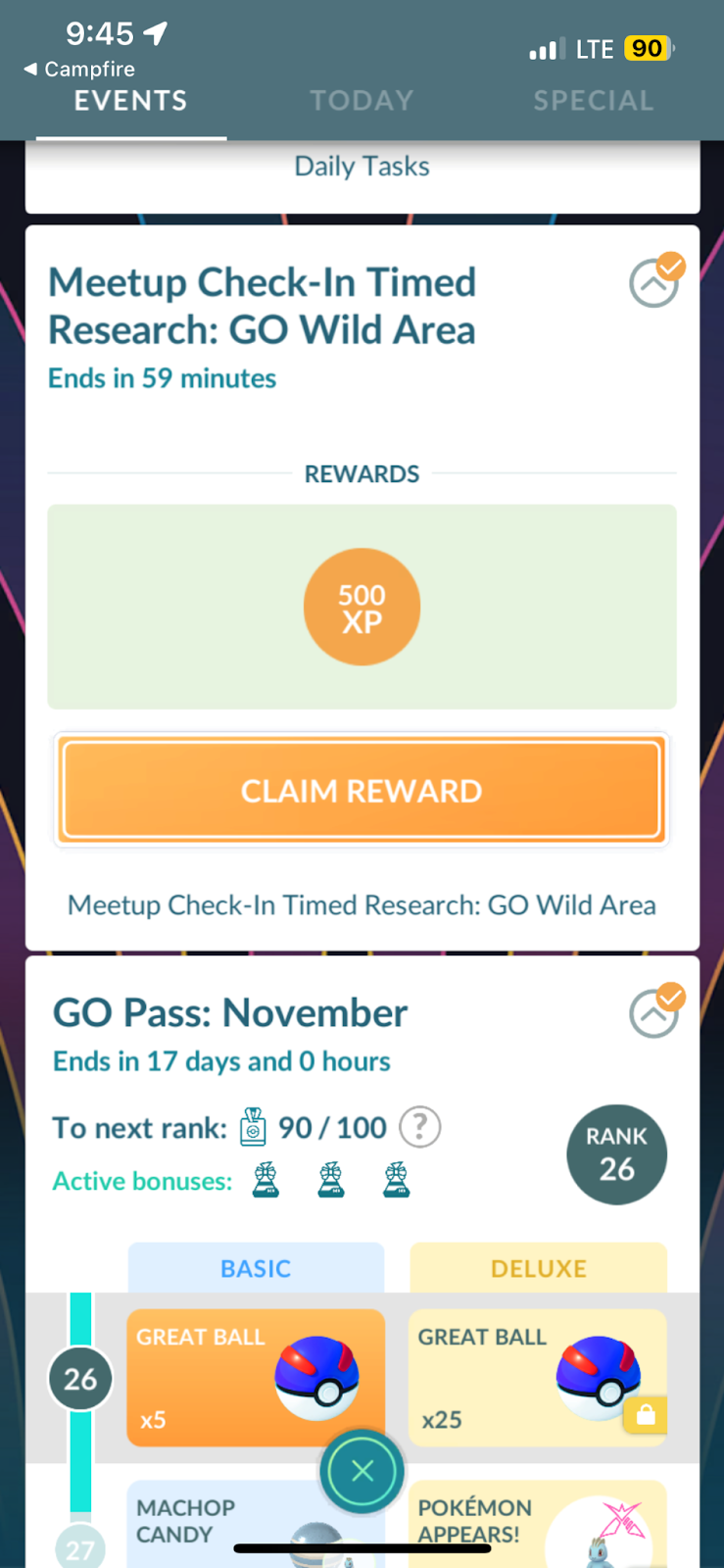
the top of your map screen indicating that you are eligible to receive Meetup Check-in Timed Research. You should then check whether the Timed Research has been added to your Timed Research tab.
Note: You must claim the initial 500 XP within 1 hour of checking in to receive the full Meetup Timed Research (the following is an example from the Max Battles themed event).
*The example shown is for reference only. The actual rewards you receive may differ depending on the event.
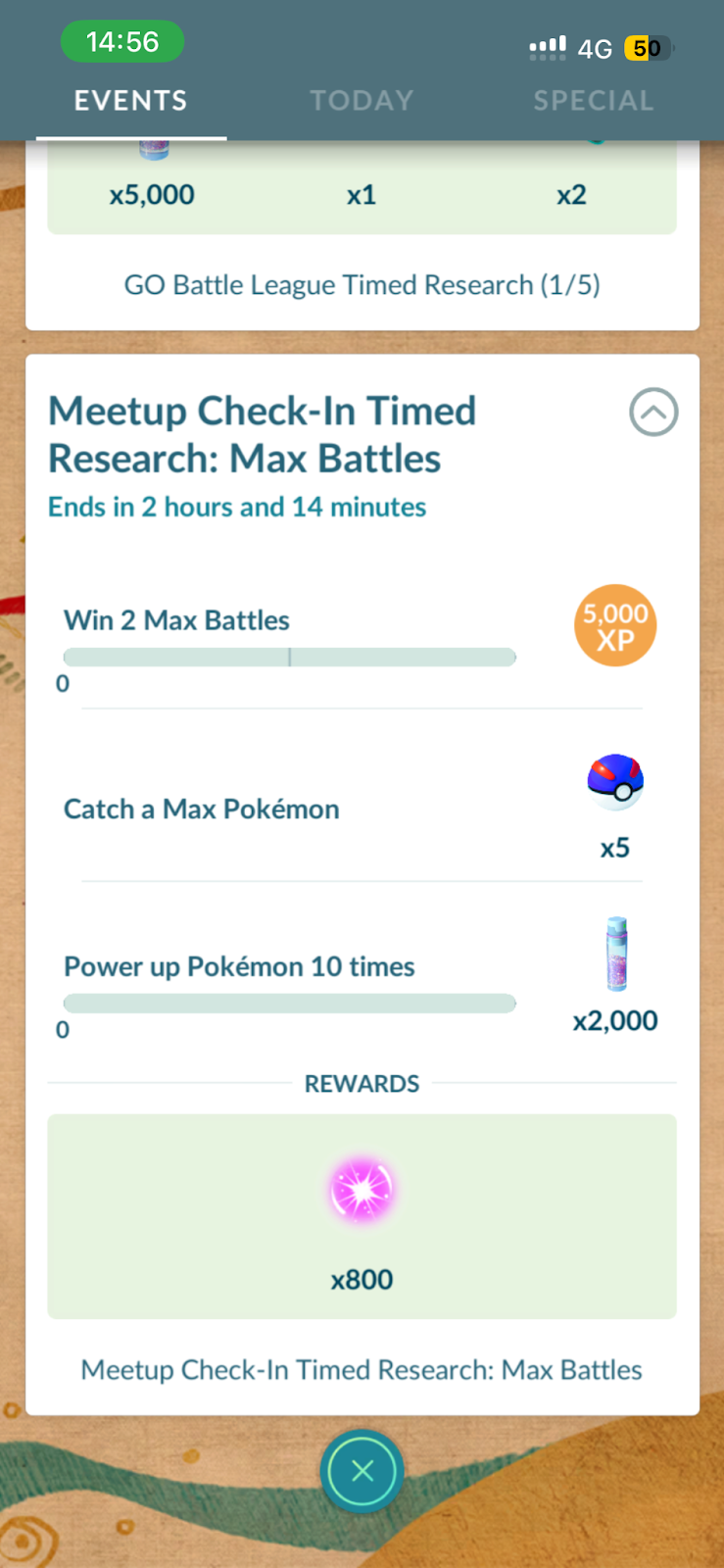
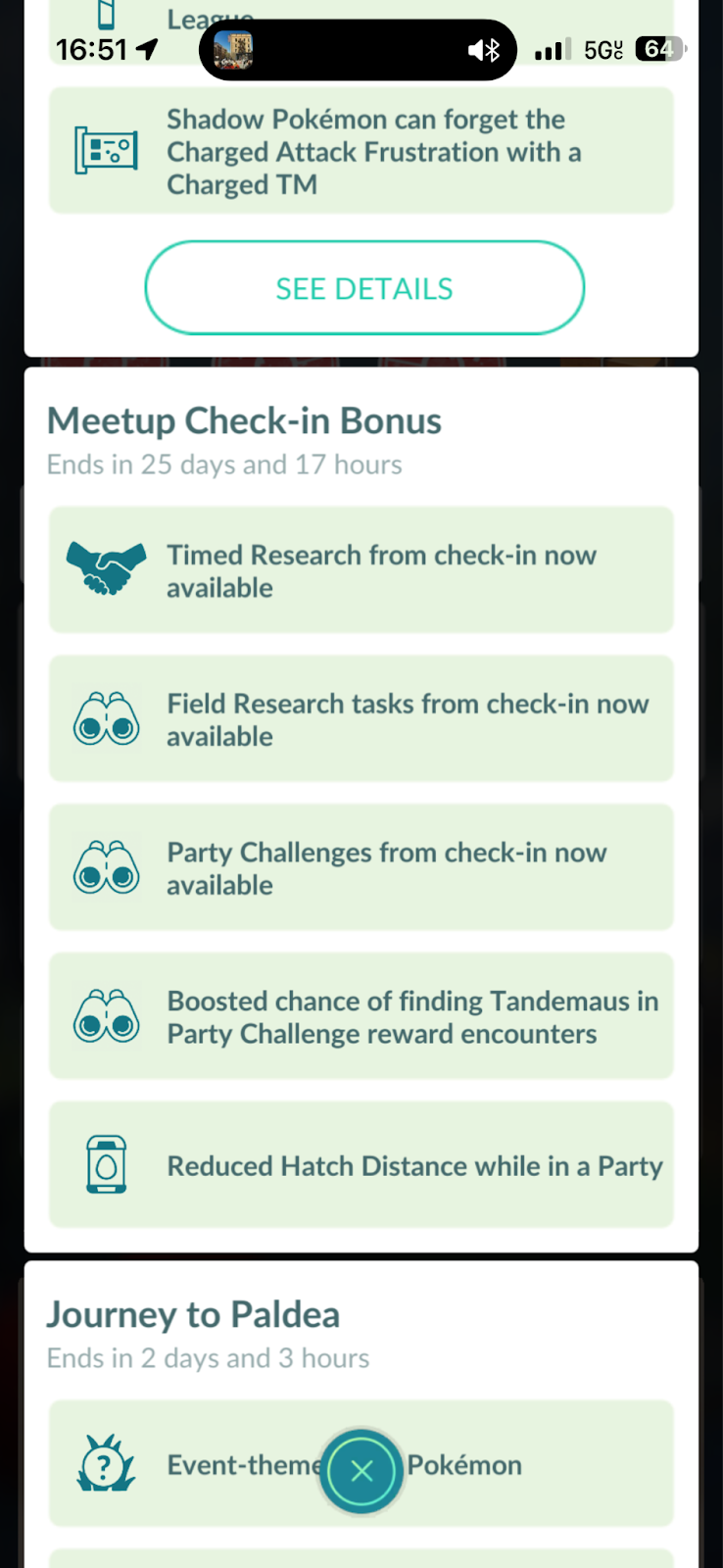
The Timed Research you can receive will vary depending on the event (such as Community Day, Max Battle events, and other applicable events), and the corresponding bonuses may differ. Please check the latest information in the “What’s Happening Now” section of Today View.
Frequently Asked Questions
How many times can I receive this Timed Research?
You can receive this Timed Research once per day.
I received a different Timed Research than I expected. What should I do?
If you believe you received a different Timed Research than expected or that the reward was not intended, please check with your Community Ambassador (CA).
The CA also can confirm whether the correct event reward was set up for that event.
Why isn’t my Timed Research showing up?
Please make sure that:
You pressed “Check in” for the Meetup you RSVP’d to.
The Meetup is an official Community Ambassador Meetup and shows a “Rewards” icon on the invite.
Note: Check-in rewards are available only for Meetups with this icon.
You received a notification confirming that the check-in was successful.
You claimed 500 XP from the check-in reward.
You restarted the Pokémon GO app.
Please note: If you have already claimed this Timed Research in the past 24 hours, you will not be able to receive it.
If the steps above do not resolve the issue, please submit an in-game support ticket, and our support team may be able to assist with your request.
Why can’t I find the Meetup search or check-in feature in Pokémon GO?
If you’re using a child account, this feature may not be available, as some social features are restricted for child accounts.
If you’re using an adult account and believe you should have access to this feature but don’t see it in your app, please contact Pokémon GO Support for further assistance.