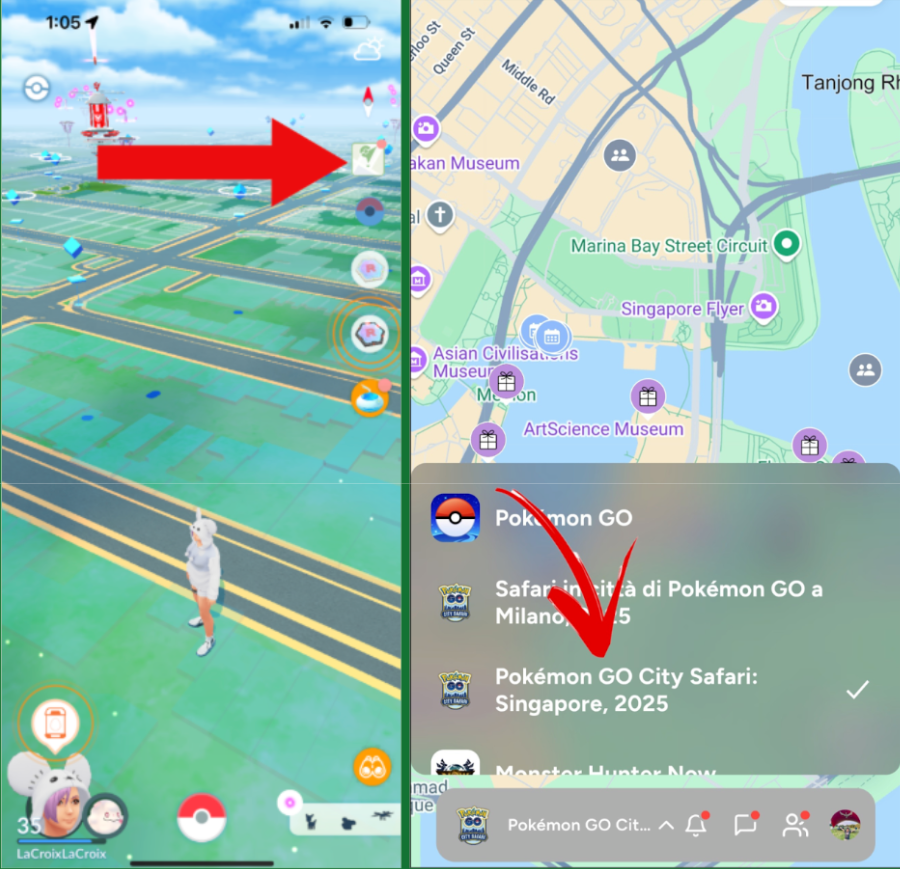
For real-world events (such as Pokémon GO Fest), as long as you have an event ticket, you can view the event map by tapping the Campfire button in-game and selecting the special event map from the dropdown menu at the bottom of the Campfire app.
Once the special event map is selected, you’ll be able to see relevant points of interest, including the store, as well as PokéStops and Gyms that are only visible to event ticket holders, along with other event locations.
If the special event map does not appear, please try checking the map directly within the Campfire app.