
Weekly Challenges allow Trainers to team up together to accomplish various tasks and receive rewards. Join a group with up to three other Trainers to complete the challenge within the week.
Each week, a new challenge will be posted. New Weekly Challenges will be added globally every Tuesday at 00:00 UTC.
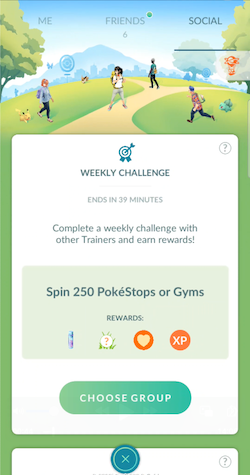
Completing or making progress towards a challenge will generate rewards that you can claim either when the Weekly Challenge has been completed or when time has expired. In addition to rewards like Pokémon encounters, items and XP, you may also contribute to your Friend Level when your Friends join your Weekly Challenge group.
You can receive up to 7 friendship points from the Weekly Challenge and 1 chance to become Lucky Friends with each friend in your Weekly Challenge group. These rewards are in addition to your daily interaction with your friends, so you will be able to receive a total of up to 8 friendship points and 2 chances to become Lucky Friends with each friend in your Weekly Challenge Group on the day that your Weekly Challenge is completed.
Note that if you log into Pokémon GO using a Niantic Kids or Pokémon Trainer Central child account, access to Weekly Challenges can be controlled by the Friends and Related Features permission in the Parent Portal. Weekly Challenges are available to Trainers Level 13 or higher.
Participating in a Weekly Challenge
To start a Weekly Challenge:
- From the Map View, navigate to your Trainer Profile by tapping on your Trainer avatar in the bottom left corner of the map.
- Tap the Social tab at the top of the screen to see the current challenge and possible rewards.
- To get started, tap Choose Group.
- To add other Trainers to your group, tap on the
 button. You can invite up to three Friends to form up as a group to take on the Weekly Challenge.
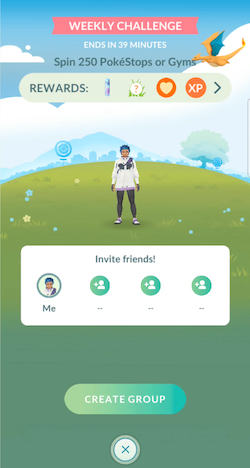
- Select from your Friends List to create a group to help you in the Challenge. Keep in mind that once a Trainer has joined your group, they can also invite their Friends to join. Once the group is filled with four Trainers, no more additional Trainers can join.
If a friend is already participating in a Weekly Challenge, they will not be able to receive additional invitations. However if they leave a Weekly Challenge before it’s completed, they can be added to a new group.
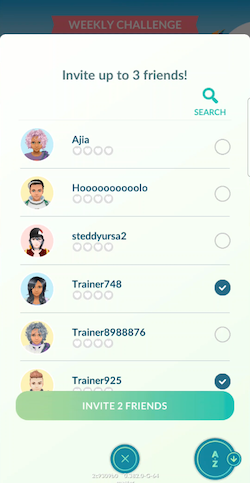
- Once you have selected your Friends, tap the Invite Friends button. Invitations will automatically expire after 24 hours.
Pending invitations can be revoked by tapping Cancel in the Pending Invites section. To cancel a pending invite:
- From the Map View, navigate to your Trainer Profile.
- Tap the Social tab at the top of the screen.
- Tap the See Details button in the Weekly Challenge section.
- If you have sent 4 invites, tap the View Invites button, if you have sent less than 4 invites, tap the Invite Friends button.
- Pending invitations will appear at the top of your Friends List. Tap Cancel to revoke the invitation.
Receiving invitations and joining Weekly Challenge groups
Friends are able to invite you to participate in their Weekly Challenge groups. Invitations that you receive from friends will appear at the top of your Friends List when you tap Choose Group on the Social tab.
While invitations cannot be declined, they will automatically expire 24 hours after being received.
You can also join a Weekly Challenge group with up to 3 randomly selected Trainers by swiping right on your Invite friends! box and tapping the Join Group button.
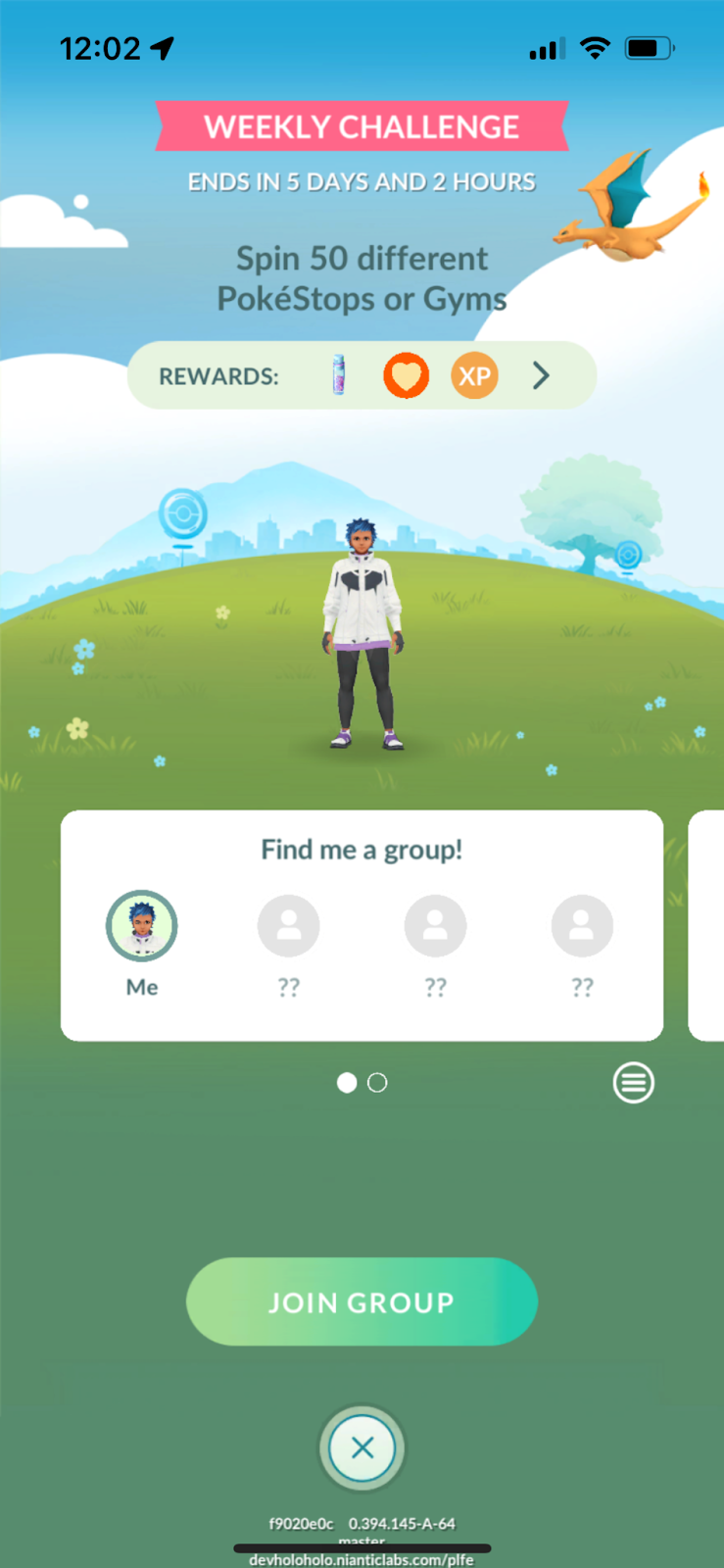
Once you tap on the Join Group button in the prompt that follows, you will be taken to your Social tab where you can track the matchmaking progress in your group.
If you are added to a Weekly Challenge group with less than 4 Trainers, you are able to invite your Friends to join that group by tapping the Invite Friends button at the bottom of the Progress page.
You can send and receive Friend Requests to other members of your group by tapping on their Trainer avatar or when prompted at the end of a Weekly Challenge. You can opt out of receiving Friend Requests from members of your Weekly Challenge group by toggling the Allow Friend Requests in Weekly Challenges option in your General Settings.
You can leave a Weekly Challenge group at any time by tapping the Leave Group button at the bottom of the challenge progress details page. Any contributions you’ve already made to the Challenge will persist after you leave and you can join a new group, however you will only receive the rewards if you are part of the group when the Weekly Challenge ends. Additionally, any friendship XP you earn by participating in a Weekly Challenge group with a Friend will only be awarded when the Weekly Challenge ends.
Making progress towards a Weekly Challenge
After joining a Weekly Challenge group, your Pokémon GO actions will automatically contribute progress to the overall goal.
You can check on your group’s progress towards the Weekly Challenge from the Social tab as well. The Weekly Challenge section will show the time remaining in the challenge, your group’s overall progress towards completing the challenge goal, and each member’s individual contributions.
See more detailed information by tapping on the See Details button below your Friends’ photos to see the rewards for the current challenge, overall progress towards completing the Weekly Challenge, as well as each Trainer’s daily contributions. Note that daily contributions will reset every Tuesday at 00:00 UTC.
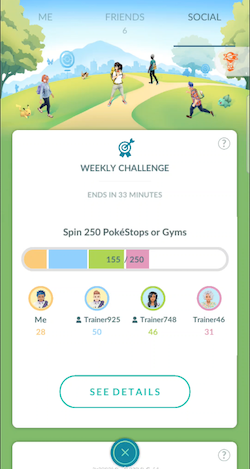
Once you and your Friends have satisfied the requirements of the Weekly Challenge, or if the time has run out, you will see a summary of your progress. Tap the Share button to create an image so you can share your progress with others or post it to social media.
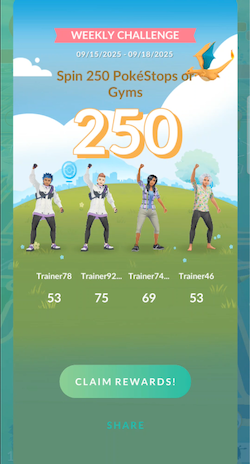
Tap Claim Rewards! to claim the rewards associated with that week’s Weekly Challenge. Once you’ve completed it, a new challenge will appear every Tuesday at 00:00 UTC.
Make sure to check back every week to participate in new challenges as they arrive!