
This support page is for players located in Japan whose transactions are processed via SB Payment Service (SBPS).
*During the initial launch period, the payment provider used may vary depending on factors such as the timing of the transaction.
The Pokémon GO Web Store is an online shop designed to give players a great deal on PokéCoins, premium item bundles, and event tickets compared to the in-app shop.
Web Store Highlights
Get a Better Deal: Web Store purchases primarily offer better deals, including bonus PokéCoins on standard bundles and exclusive web-only item packs.
Earn Extra Points via the Reward Road: Every purchase you make earns you points toward the Reward Road. Advancing down the road unlocks extra items, milestones, and premium rewards! Read how it works here: What is the Reward Road?
Easy Code Redemption: Instead of navigating complex menus, you can input promo codes directly on the web store to get items injected straight into your game: How do I redeem an offer code on the Web Store?
Sign-In Methods
To login, use the active credentials linked directly to your Pokémon GO account:
Google Account
Apple ID
Facebook
Pokémon Trainer Club (PTC)
Niantic Kids
Note for Child Accounts: If you log in using a Niantic Kids or PTC Child Account, shop contents and the Reward Road features will be completely hidden for safety. Only the offer code redemption function is available.
Need Help With a Purchase? (Where to Contact Support)
If you used SB Payment Service in Japan, your transaction confirmation details will look like this:
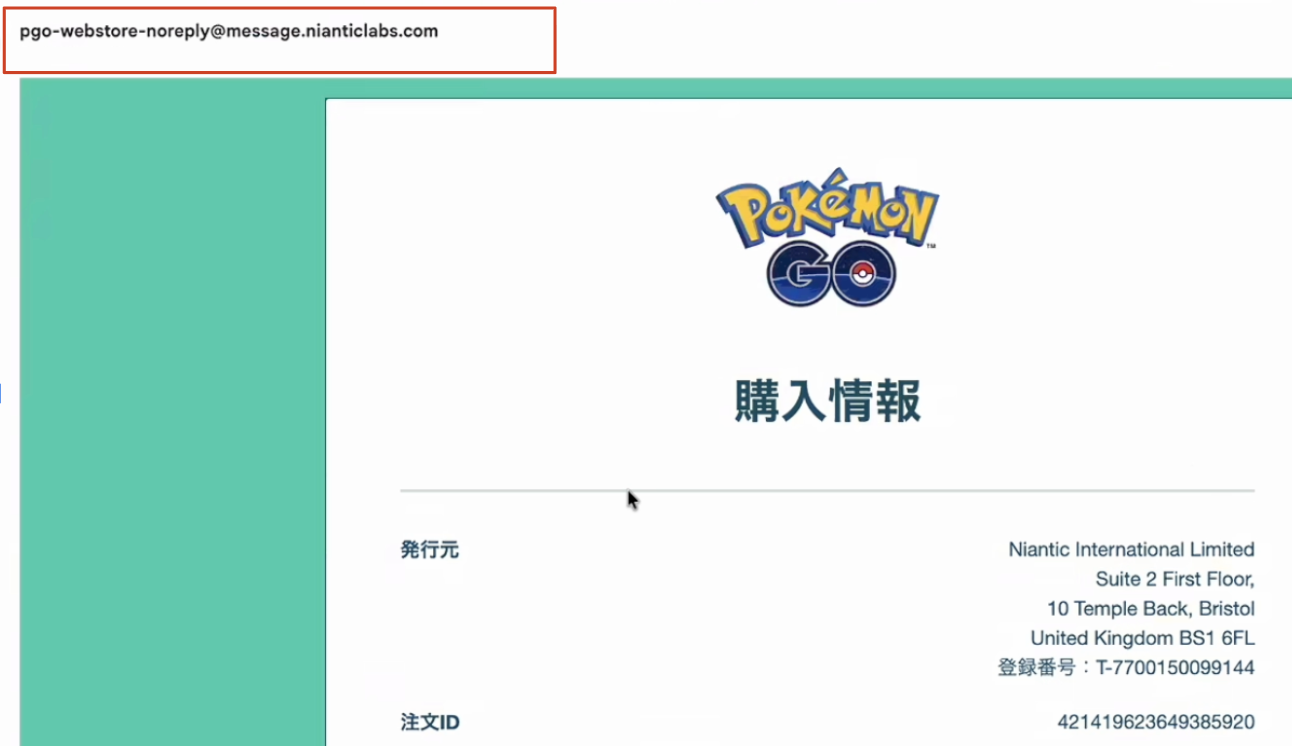
Sender Email: [email protected]
What to do: SBPS is the payment gateway, meaning they do not handle customer support inquiries directly. All billing issues, delivery errors, and refund requests are handled directly by Pokémon GO Support.
Contact: Reach out to us via our standard In-Game Support Flow or file a ticket through the Web Store support center.
Frequently Asked Questions
Can a child/kids account use the Web Store?
No, child accounts cannot access the shop features or make purchases on the Web Store. If your child logs into Pokémon GO using a Niantic Kids account or a Pokémon Trainer Club (PTC) Child Account (under the age of digital consent, usually 13):
The Reward Road and Web Store shop features are restricted for their safety. Only the offer code redemption tool is available to them.
Alternative: Parents can still allow children to purchase ticketed events or items directly inside the game via standard In-App Purchases, provided you have enabled in-app purchases on their iOS or Android device settings.
Account & Payment Support (SBPS Japan)
Missing items in the app
If your purchased items or PokéCoins are not showing up in your game, please follow these steps first:
1. How to view your purchase history on the webstore: Open the menu bar in the top-right corner of the screen to check your logged-in Trainer Name. Tap your Trainer Name, then tap Order History to view your past transaction details and make sure the payment went through.

2. You might have been logged into the wrong account when you made your purchase; please visit the Web Store and reconfirm that you are logged into the account you normally use.
3. If the payment was purchased with the correct account but is still not reflected in your game, please contact Pokémon GO Support via our In-Game Support Flow.
Account & Billing Situations
Items bought on the wrong account: Please open the Pokémon GO app on the account that should have received the items, go to Settings > Get Support, and contact Pokémon GO Support so we can investigate.
Requesting a duplicate purchase receipt: We cannot automatically generate or email a duplicate receipt right now. However, if you contact Pokémon GO Support, we can manually pull your purchase data and provide the transaction details to you.
Unrecognized or unauthorized charges: Contact Pokémon GO Support right away so we can verify the payment details on our end.
⚠️ Security Note: If you suspect any unauthorized activity on your account, we strongly recommend changing your account password and reviewing your login security setup immediately to ensure your data stays safe.